
Download PDF to Video Converter – PDF to video, convert PDF to video, PDF to MP4, video converter, document to video, PDF presentation, PDF animation, video maker, PDF slideshow, PDF to video with music
Overview
The PDF to Video Converter is a specialized tool designed to transform static PDF documents into dynamic MP4 videos. This functionality enables users to enhance presentations, tutorials, and educational content by incorporating animations, transitions, and background music. The app serves as a bridge between traditional document formats and modern multimedia, offering a practical solution for individuals and professionals who seek to deliver information in a more engaging visual format. Its primary purpose is to simplify the process of converting PDFs into shareable video content without requiring advanced technical skills.
Target users include educators, business professionals, content creators, and students who rely on visual storytelling to communicate ideas effectively. The tool is particularly valuable for those preparing digital presentations or training materials that benefit from motion and audio elements. By transforming static pages into animated slideshows, the app helps maintain audience attention and improve message retention. The developer, PDF to Video Converter, has positioned this software as a productivity utility that streamlines content creation across multiple platforms.
Although the developer did not provide additional technical details, the app’s release date of September 24, 2024, indicates a recent entry into the digital content creation space. Its presence in the productivity category reflects its role in modern workflows where visual communication is increasingly prioritized. The ability to convert not only PDFs but also Word, Excel, and PowerPoint files adds versatility, making it a useful asset in both personal and professional environments.
Key Features & Functionality
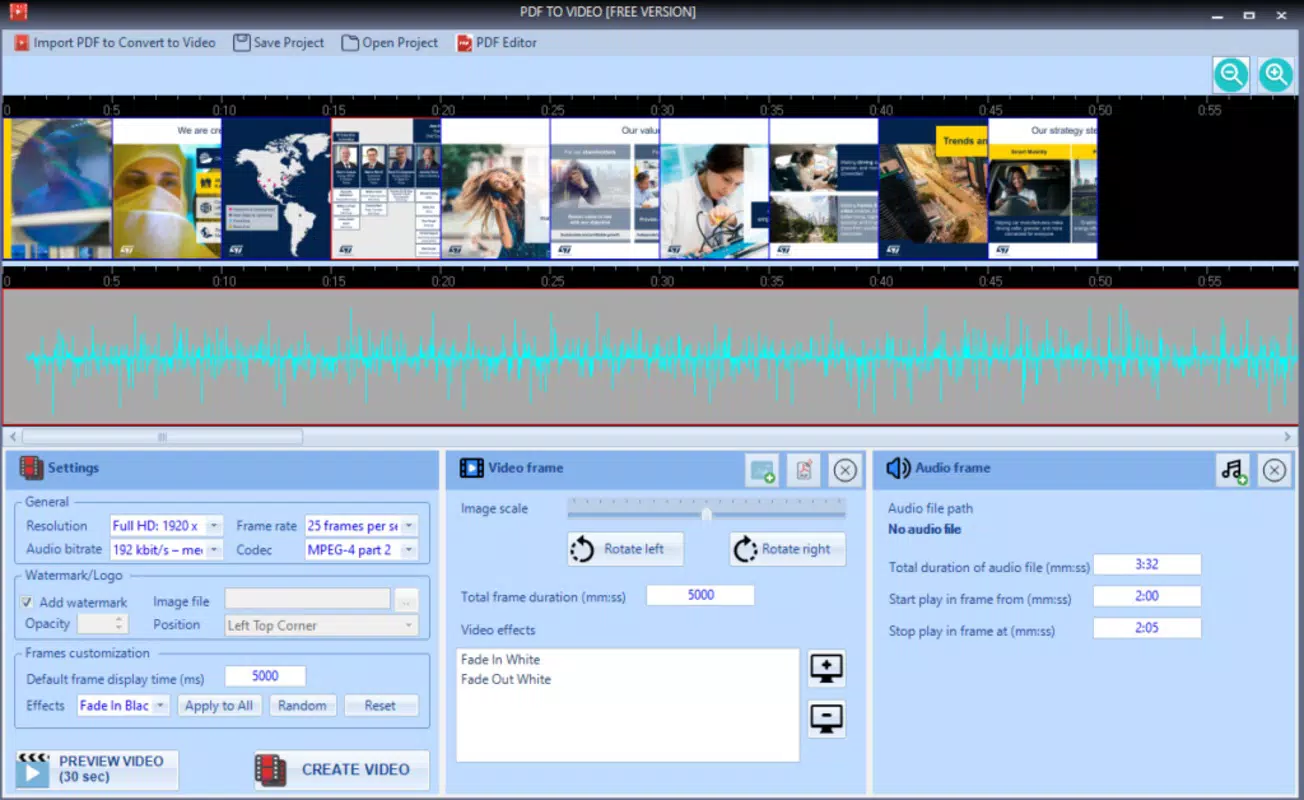
- User-Friendly Interface: The app features an intuitive layout designed for accessibility, allowing users to upload PDFs and adjust settings with minimal effort. Even non-technical users can navigate the tool efficiently, reducing the learning curve associated with multimedia conversion.
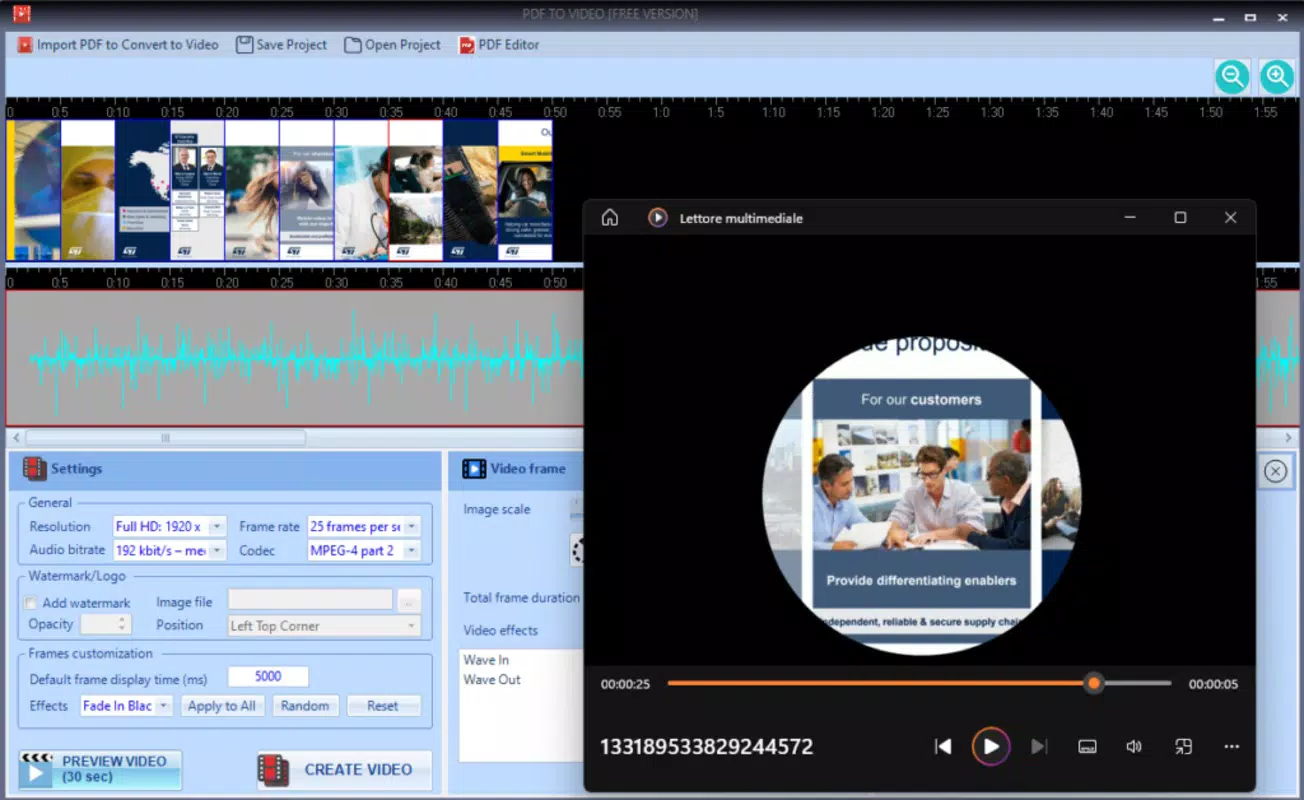
- Animation and Transitions: Users can apply smooth animations and transitions between PDF pages, transforming static content into a flowing slideshow. This feature is ideal for creating engaging presentations or instructional videos that maintain viewer interest.
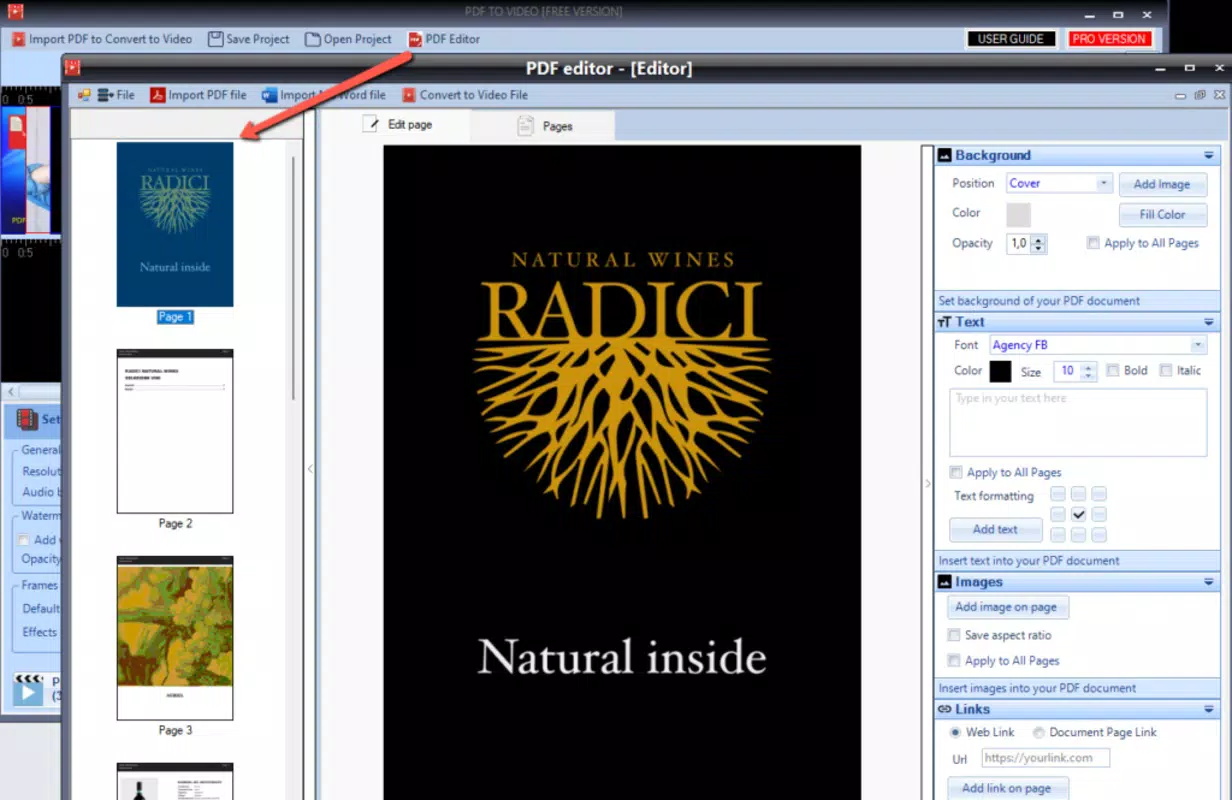
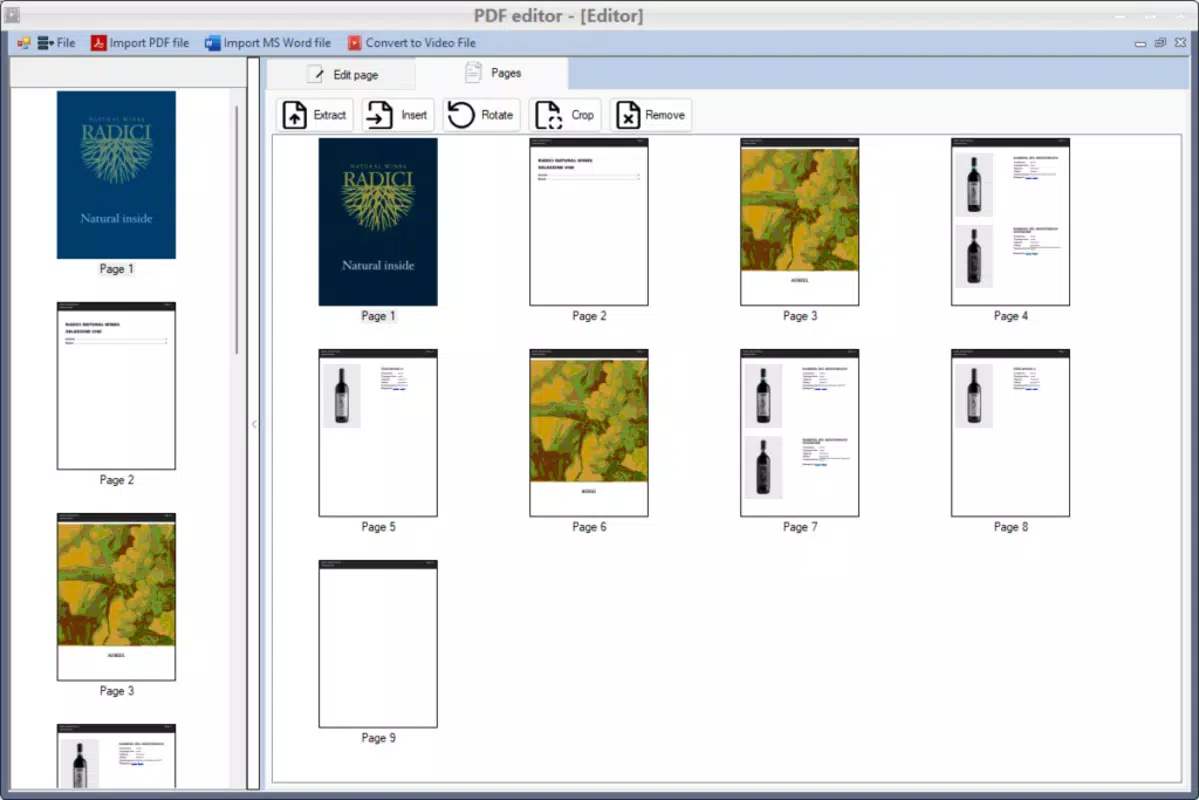
- Multiple Format Support: Beyond PDFs, the converter supports Word, Excel, and PowerPoint files, enabling users to convert a wide range of document types into video format. This flexibility enhances its utility across different workflows and industries.
- Customization Options: Users can set video duration per page, choose resolution settings, and add background music to tailor the output to specific needs. These controls allow for personalized video content suitable for branding, education, or public sharing.
- Pro Version Enhancements: The Pro version, priced at $24.99 annually, removes watermarks and unlocks higher video quality, custom logos, and advanced export settings. This tiered model offers a clear upgrade path for users requiring professional-grade output.
For example, an educator could use the app to convert a lesson plan into a narrated video with timed animations, while a marketer might turn a product brochure into a promotional video with background music and branded transitions. These real-world applications highlight the app’s practical value in enhancing communication through multimedia.
Interface, UX & Performance
The interface of PDF to Video Converter is structured around simplicity and clarity. Users are greeted with a clean dashboard that allows for drag-and-drop PDF uploads, immediate preview of conversion settings, and straightforward access to customization tools. Navigation is linear and logical, guiding users through each step of the conversion process without unnecessary complexity.
Visual design emphasizes usability over ornamentation, with clearly labeled buttons, progress indicators, and preview windows. The layout remains consistent across supported platforms, ensuring a familiar experience regardless of device. Interaction responsiveness is efficient, with minimal lag during file uploads and preview rendering.
Although the developer did not list formal performance metrics, the app appears optimized for smooth operation on standard desktop systems. It handles medium-sized PDFs without significant delays, and the conversion process maintains stability throughout. Users can expect consistent performance across different device categories, though specific requirements were not disclosed.
Platform Compatibility & Technical Requirements
PDF to Video Converter is available on Windows, Mac, and Linux operating systems, offering broad accessibility for desktop users. The current version is 2.1.0, with a file size of 48.2 MB, indicating a lightweight installation that does not burden system resources.
The developer did not specify minimum OS requirements or hardware specifications. Compatibility information was not fully disclosed, so users should ensure their system meets general desktop standards for running productivity applications. No mobile or tablet versions were mentioned in the provided data.
Pros and Cons
- Intuitive interface suitable for non-technical users
- Supports multiple document formats including Word, Excel, and PowerPoint
- Offers customizable animations, transitions, and background music
- Pro version provides watermark-free, high-quality exports
- Lightweight file size (48.2 MB) with fast installation
- No mobile or tablet version available
- Pro version requires annual subscription ($24.99)
- Specific system requirements not listed
- Free version includes a watermark
- Performance details not publicly disclosed
FAQ
Is PDF to Video Converter safe to download?
The app is developed by PDF to Video Converter and distributed through official channels. Users are advised to download only from verified sources to ensure security and avoid unauthorized modifications.
Can I use the free version without a watermark?
No. The free version includes a visible watermark on exported videos. To remove the watermark, users must upgrade to the Pro version.
Does the app support video export on mobile devices?
The developer did not provide information on mobile compatibility. The app is currently available only for Windows, Mac, and Linux desktop systems.
How often are updates released?
While the release date of the current version (2.1.0) is September 24, 2024, the frequency of future updates has not been disclosed.
Can I convert PowerPoint files to video using this tool?
Yes. The app supports PowerPoint files in addition to PDFs, Word documents, and Excel spreadsheets, making it a versatile document-to-video converter.
Final Thoughts
PDF to Video Converter stands out as a practical solution for transforming static documents into engaging multimedia presentations. Its intuitive design, combined with powerful customization tools, makes it accessible to users across various skill levels. The ability to animate pages, add music, and export in MP4 format enhances the storytelling potential of any document.
While the absence of mobile support and the need for a paid subscription to remove watermarks are notable limitations, the app’s value is evident in its functionality and ease of use. For educators, marketers, and professionals seeking to elevate their content, the Pro version offers a compelling return on investment.
Download PDF to Video Converter now


